Skip to content
Go back

Agentic Automation

Published: Feb 3, 2026
Updated: Feb 26, 2026
Vancouver, Canada

OpenAI’s Codex app launched with a feature called Automations—agentic workflows that run on a schedule.

https://openai.com/index/introducing-the-codex-app

After two days of testing, I wanted to understand how they actually work.

https://developers.openai.com/codex/app/automations

Delegate repetitive work with Automations

Automations run in the background on a schedule you define.

With the Codex app, you can also set up Automations that let Codex work in the background on an automatic schedule

Codex App Automations Demo

Setting up an automation to periodically create new skills

This matters because agentic workflows allow AI agents to run in the background on a schedule.

The Evolution

Before this, we had agentic workflows driven by graph-based systems predefined up-front.

We’ve come a long way from traditional workflow engines like N8N, Make, and Zapier.

We then moved toward newer agentic-friendly workflow engines like LangGraph, PydanticAI Graphs, and crewAI Workflows.

While these solutions worked, they were too rigid for evolving business landscapes.

New Workflow Primitives

We now have a new primitive: AI agents + git commands.

Automations combine instructions with optional skills, running on a schedule you define. When an Automation finishes, the results land in a review queue so you can jump back in and continue working if needed.

OpenAI uses this technique internally:

At OpenAI, we’ve been using Automations to handle the repetitive but important tasks, like daily issue triage, finding and summarizing CI failures, generating daily release briefs, checking for bugs, and more.

They’re building cloud-based triggers:

We’re also building out Automations with support for cloud-based triggers, so Codex can run continuously in the background—not just when your computer is open.

Git Worktrees

The technical implementation uses git worktrees:

In Git repositories, each automation run starts in a new worktree so it doesn’t interfere with your main checkout. In non-version-controlled projects, automations run directly in the project directory.
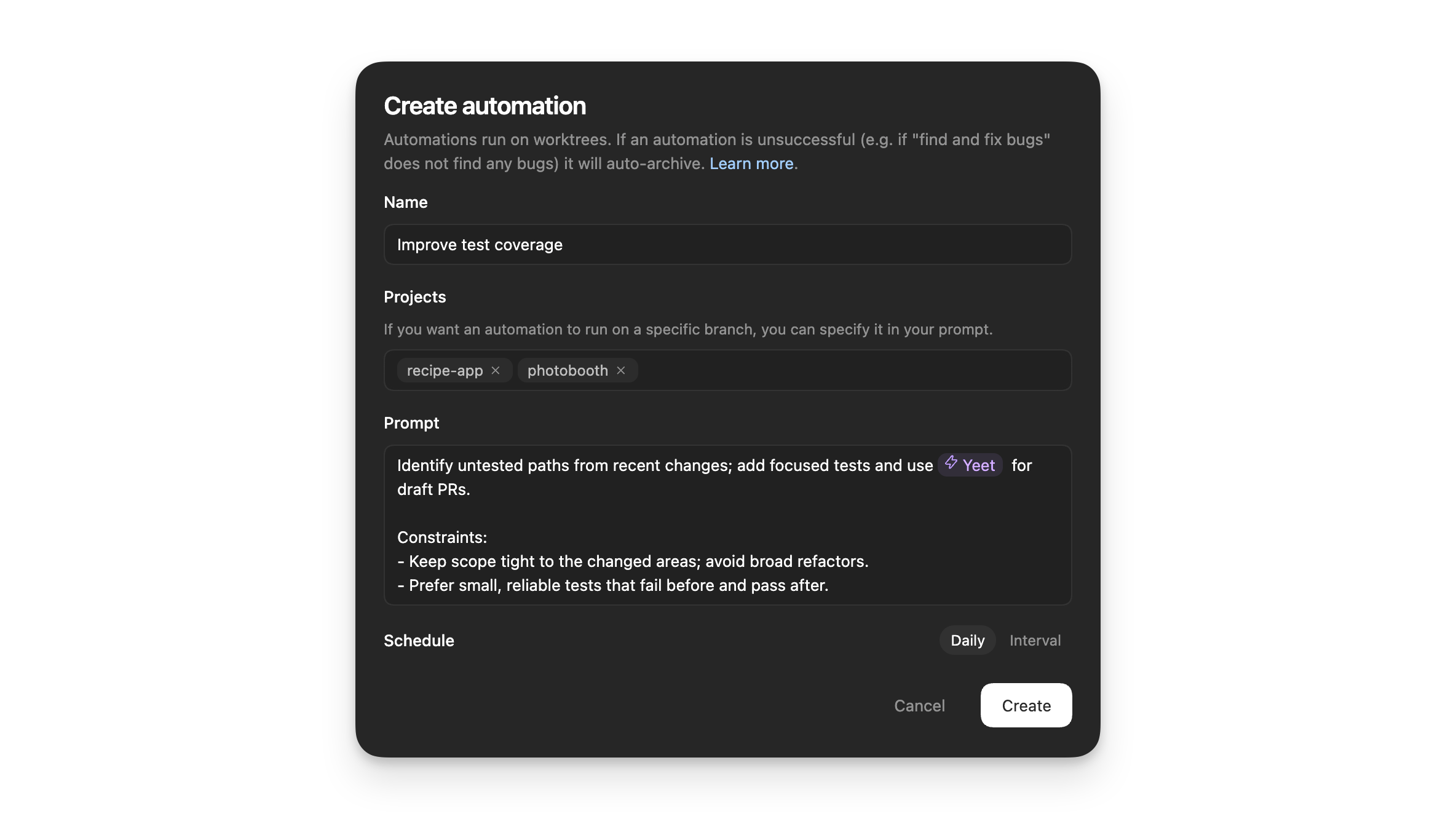
When an automation runs in a Git repository, Codex uses a dedicated background worktree. In non-version-controlled projects, automations run directly in the project directory. Consider using Git to enable running on background worktrees. You can have the same automation run on multiple projects.

Since most projects require software development best practices, most projects require git-based source code management.

Example: Automated Bug Fixes

OpenAI shares a concrete example combining Skills and Automations:

---
name: recent-code-bugfix
description: Find and fix a bug introduced by the current author within the last week in the current working directory. Use when a user wants a proactive bugfix from their recent changes, when the prompt is empty, or when asked to triage/fix issues caused by their recent commits. Root cause must map directly to the author's own changes.
---

# Recent Code Bugfix

## Overview

Find a bug introduced by the current author in the last week, implement a fix, and verify it when possible. Operate in the current working directory, assume the code is local, and ensure the root cause is tied directly to the author's own edits.

## Workflow

### 1) Establish the recent-change scope

Use Git to identify the author and changed files from the last week.

- Determine the author from `git config user.name`/`user.email`. If unavailable, use the current user's name from the environment or ask once.
- Use `git log --since=1.week --author=<author>` to list recent commits and files. Focus on files touched by those commits.
- If the user's prompt is empty, proceed directly with this default scope.

### 2) Find a concrete failure tied to recent changes

Prioritize defects that are directly attributable to the author's edits.

- Look for recent failures (tests, lint, runtime errors) if logs or CI outputs are available locally.
- If no failures are provided, run the smallest relevant verification (single test, file-level lint, or targeted repro) that touches the edited files.
- Confirm the root cause is directly connected to the author's changes, not unrelated legacy issues. If only unrelated failures are found, stop and report that no qualifying bug was detected.

### 3) Implement the fix

Make a minimal fix that aligns with project conventions.

- Update only the files needed to resolve the issue.
- Avoid adding extra defensive checks or unrelated refactors.
- Keep changes consistent with local style and tests.

### 4) Verify

Attempt verification when possible.

- Prefer the smallest validation step (targeted test, focused lint, or direct repro command).
- If verification cannot be run, state what would be run and why it wasn't executed.

### 5) Report

Summarize the root cause, the fix, and the verification performed. Make it explicit how the root cause ties to the author's recent changes.
(This example is complete, it can be run "as is")

Trigger it with:

Check my commits from the last 24h and submit a $recent-code-bugfix
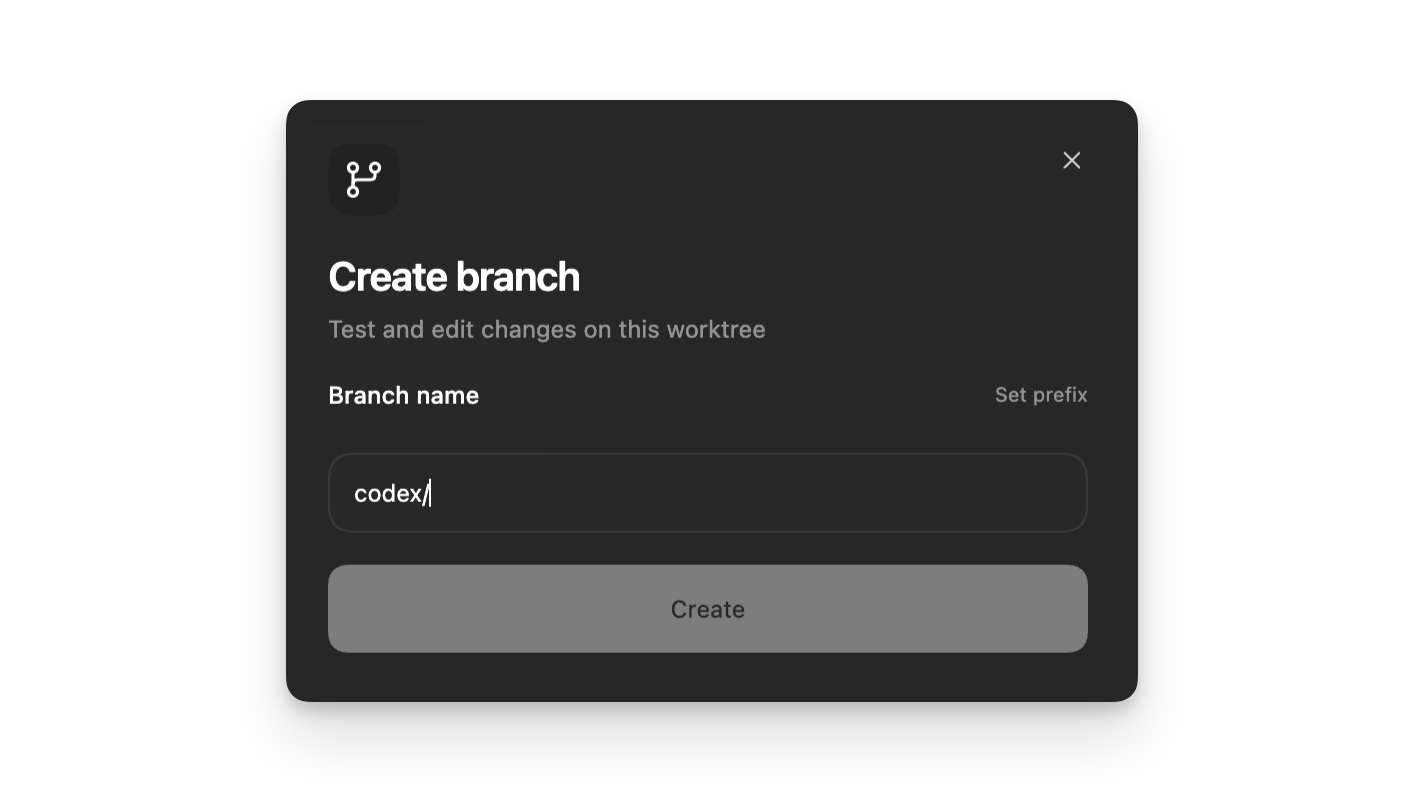
Understanding Git Worktrees
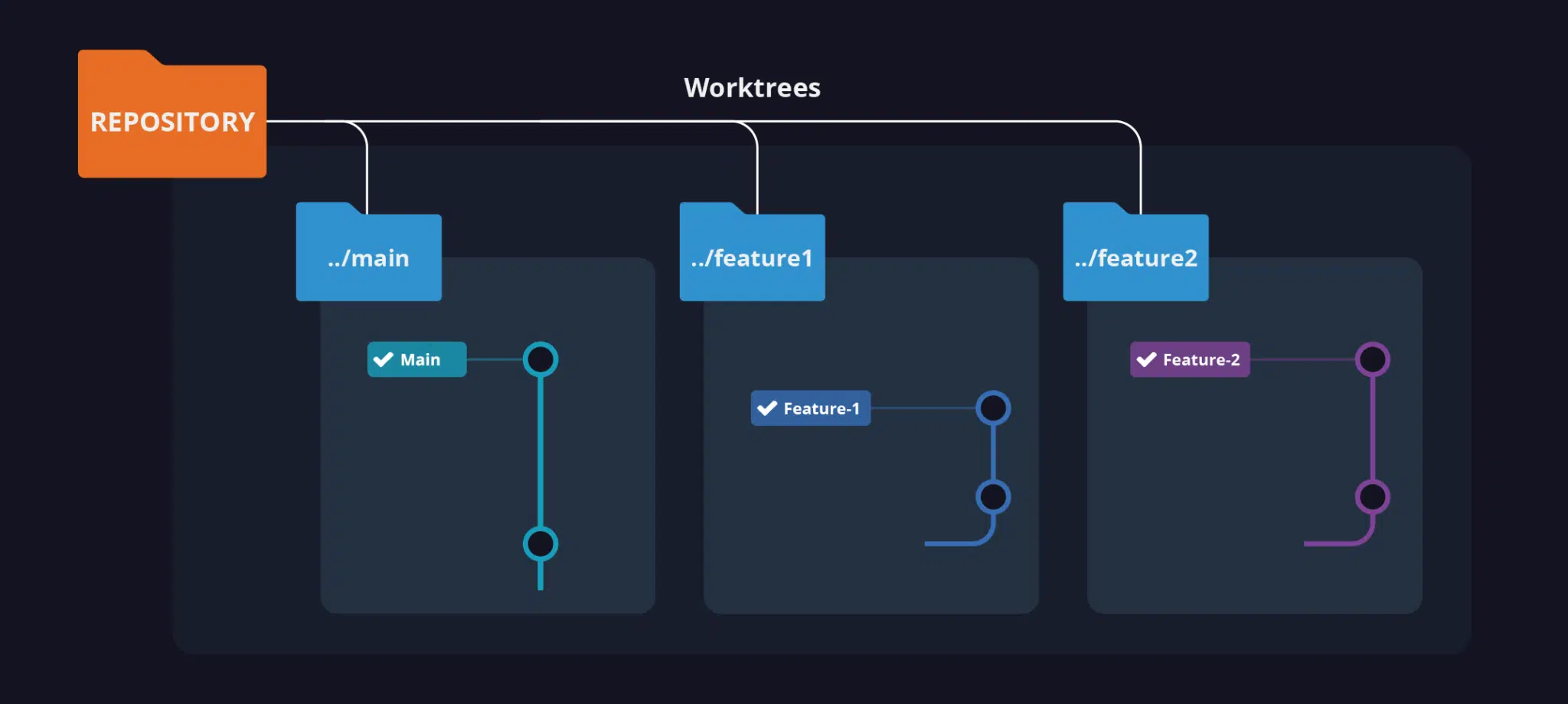
Git worktrees let you work on multiple branches simultaneously. Each branch lives in its own folder. Switch branches by changing directories.

Key commands:

git worktree add [-f] [--detach] [--checkout] [--lock [--reason <string>]]
		 [--orphan] [(-b | -B) <new-branch>] <path> [<commit-ish>]
git worktree list [-v | --porcelain [-z]]
git worktree lock [--reason <string>] <worktree>
git worktree move <worktree> <new-path>
git worktree prune [-n] [-v] [--expire <expire>]
git worktree remove [-f] <worktree>
git worktree repair [<path>…​]
git worktree unlock <worktree>
(This example is complete, it can be run "as is")

OpenAI abstracts this complexity away from users.
Why Worktrees Matter

Work in parallel with Codex without breaking each other as you work

Worktrees enable async execution. Your automation runs in isolation while you continue working in your main checkout. This is exactly what AI agents unlock—async execution where each agent runs in parallel without interference.

Content Attribution: 85% by Alpha, 15% by Claude
  • 85% by Alpha: Original draft and core concepts
  • 15% by Claude: Content editing and refinement
  • Note: Estimated 15% AI contribution based on 80% lexical similarity and 15% content condensation.